
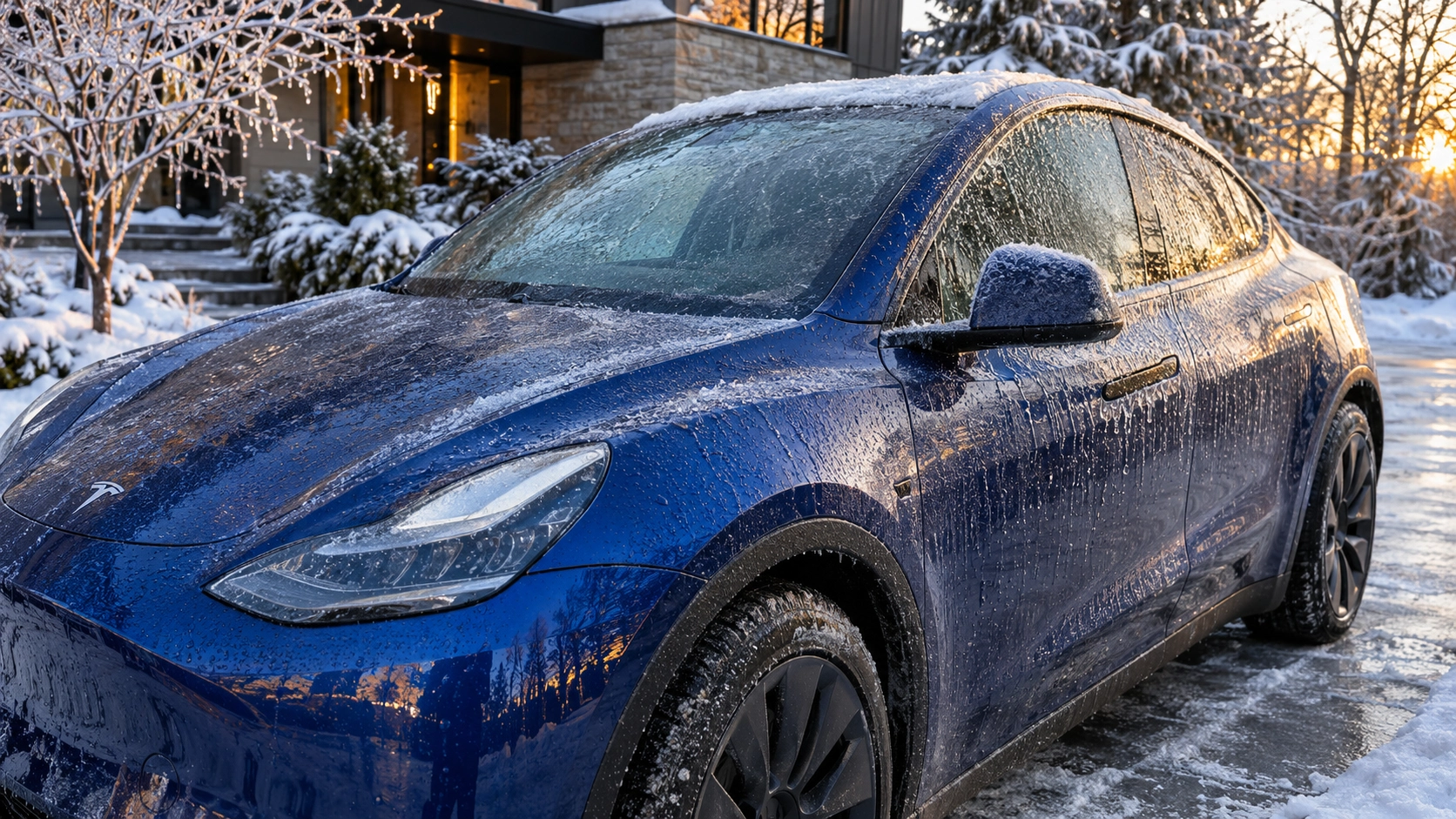
Tesla Door Frozen Shut? 3 Ways to Open It
There’s nothing more frustrating than heading out to your Tesla on a freezing winter morning and finding that the door handle won’t move. Living in Canada, I’ve dealt with frozen door handles on my 2021 Tesla Model Y.
I’ve personally used all three methods below: preheating the car before I go outside, popping the door open with the Tesla app, and working the ice loose from the handle by hand. Here’s how each one works, when to use it, and what Tesla’s own manuals say.
Quick answer: How to open a frozen Tesla door
- Defrost first. In the Tesla app, open Climate and turn on Defrost Car, then give the ice time to soften. Tesla recommends starting climate at least 30–45 minutes before you leave in cold weather.
- Unlatch the door from the app. If you’ve added Unlatch Door to the app’s quick controls, stand next to the car and tap it to pop the driver’s door open. This releases the latch. It can’t free a door or window that’s frozen to the car.
- Free the handle by hand. On a Model Y or a Model 3 with black handles, press firmly on the front end of the handle so it rocks inward, then press the rear end as you normally would. Model 3s with silver handles use a different method (see Method 3).
Stop if the door or the frameless window is frozen to the car. Keep defrosting. Don’t pry, pour hot water, or force the door or the glass.
In this guide
Why Tesla door handles freeze
The Model 3 and Model Y use flush door handles that sit level with the door. You push the wide part with your thumb and the handle pivots out toward you. When freezing rain, wet snow or meltwater gets into the small gaps around the handle and freezes overnight, the handle can lock in place. Tesla’s manual says that when snow and ice build up, moving parts such as the door handles, windows, mirrors and wipers can freeze in place.
The windows matter too. Model 3 and Model Y doors have frameless windows. On the Model Y, Tesla says the window lowers slightly when you open or close a door to avoid damage, and in cold temperatures the windows stop slightly below the trim when fully raised to help prevent freezing. If ice is holding the glass, the door may still stick even after the handle works.
It helps to figure out what is actually frozen:
- Frozen handle: the handle won’t pivot out when you press it.
- Frozen door or seal: the handle moves, or the app pops the door, but the door stays stuck to the body.
- Frozen window: the glass is iced to the trim, or it doesn’t drop when the door starts to open.
This guide covers the Model 3 and Model Y. The Model S, Model X and Cybertruck have their own door designs, so check the manual for your vehicle.
Method 1: Preheat and defrost your Tesla
On cold mornings, I preheat my Model Y from the app before I head outside, so the car has a head start on the ice by the time I get to it.
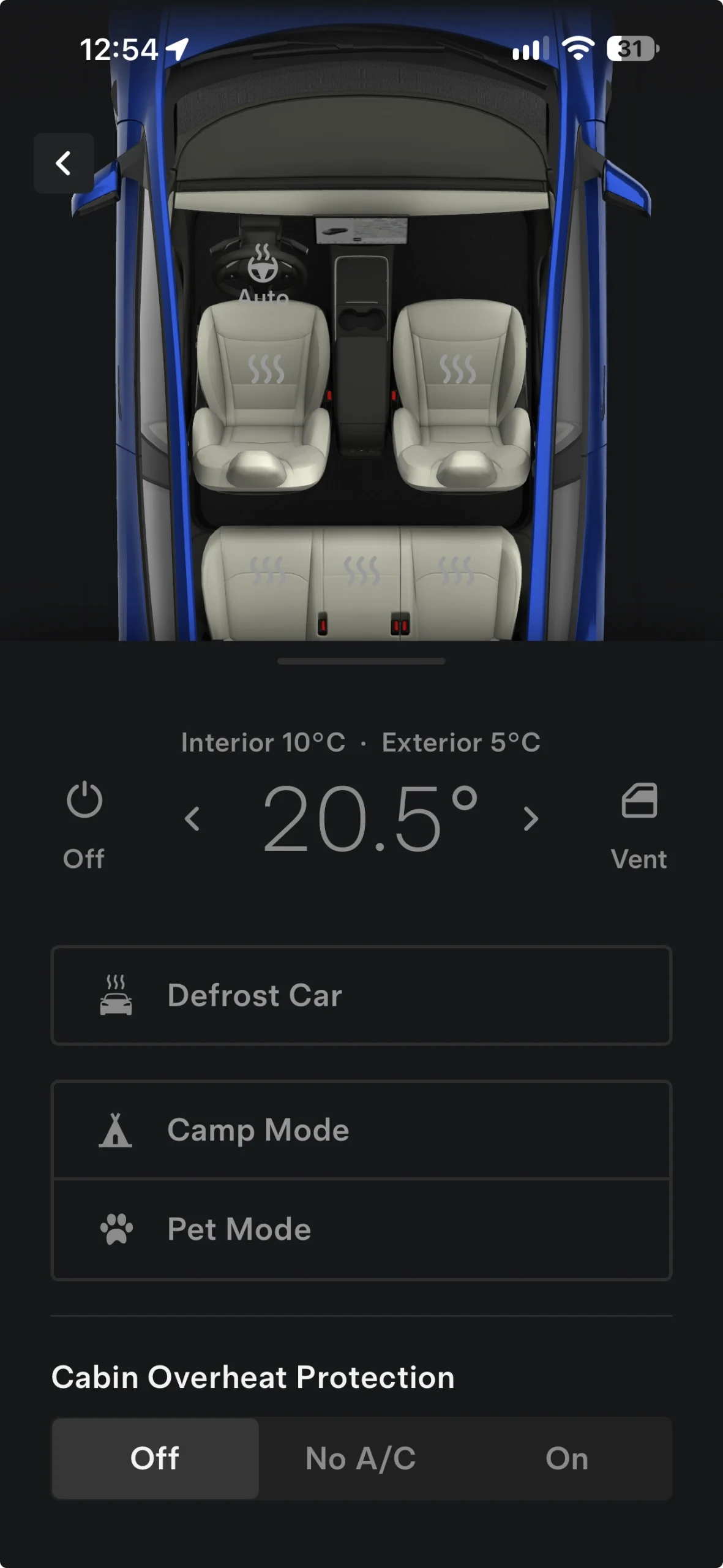
- Open the Tesla app and tap Climate.
- Turn on Defrost Car. Tesla says it helps melt snow, ice and frost on the windshield, windows, mirrors and charge port, and it also warms the battery as needed.
- Give it time. Tesla recommends activating climate settings at least 30–45 minutes before departure in cold weather. How long it really takes depends on the outside temperature and how much ice there is.
- Try the door handle again once the ice has softened.
App labels and layouts can change with app updates, so your screen may look a little different.
Climate or Defrost Car? Regular Climate warms the cabin to the temperature you set. Defrost Car is the one made for clearing snow, ice and frost. If you leave at the same time most days, use Schedule (Controls > Schedule in the car, also available in the app) so your Tesla preconditions for your departure time. Preconditioning uses energy, so plug in when you can. For more information on preparing your Tesla for cold-weather driving, read my complete guide to preconditioning your Tesla battery.
For more on scheduling and warming the battery, see my complete guide to preconditioning your Tesla.
Method 2: Open the door with the Tesla app
I’ve also used the door-open button in the Tesla app when my handle was frozen. Tesla calls it Unlatch Door. It pops the driver’s door open, so you don’t need the handle at all. It’s worth setting up before winter, because you don’t want to be digging through settings beside a frozen car.
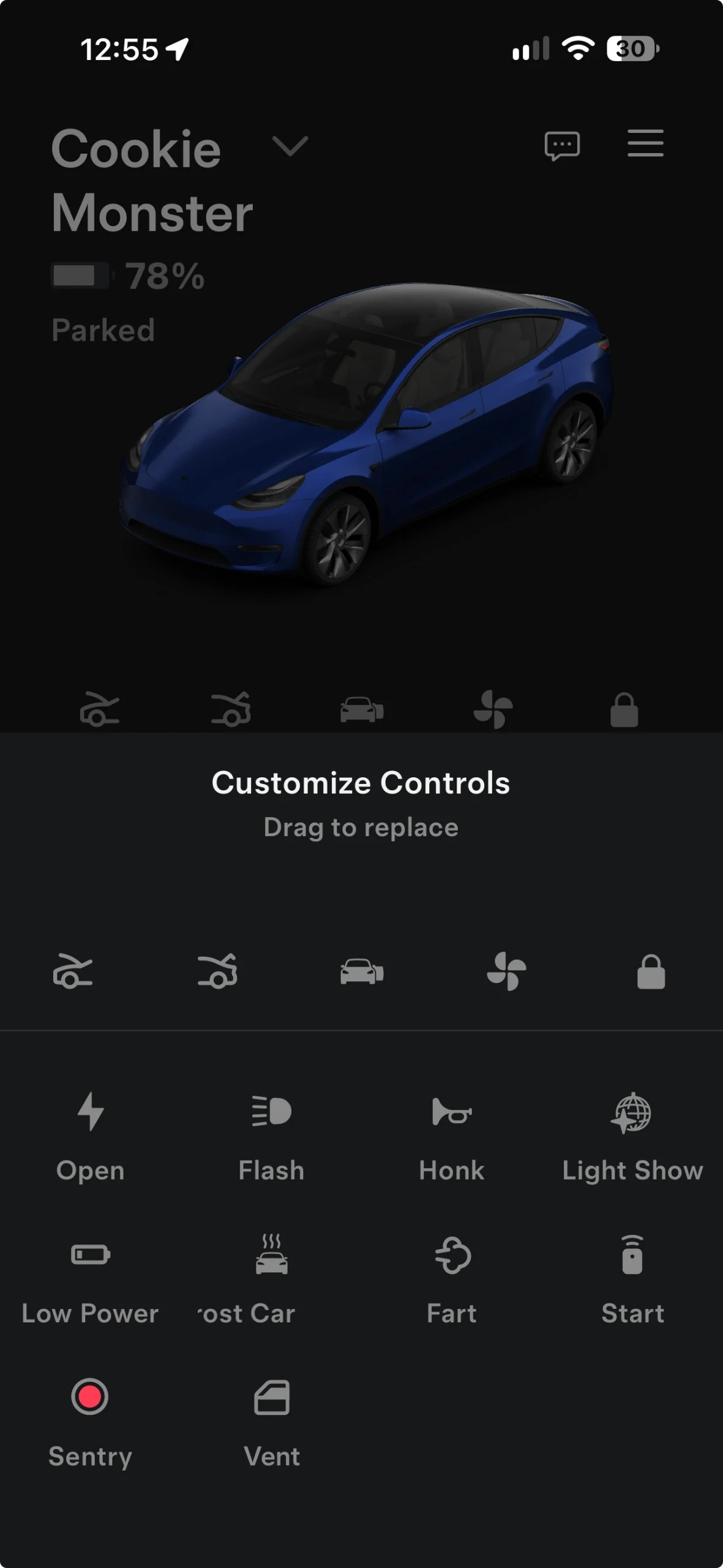
Add Unlatch Door to your quick controls
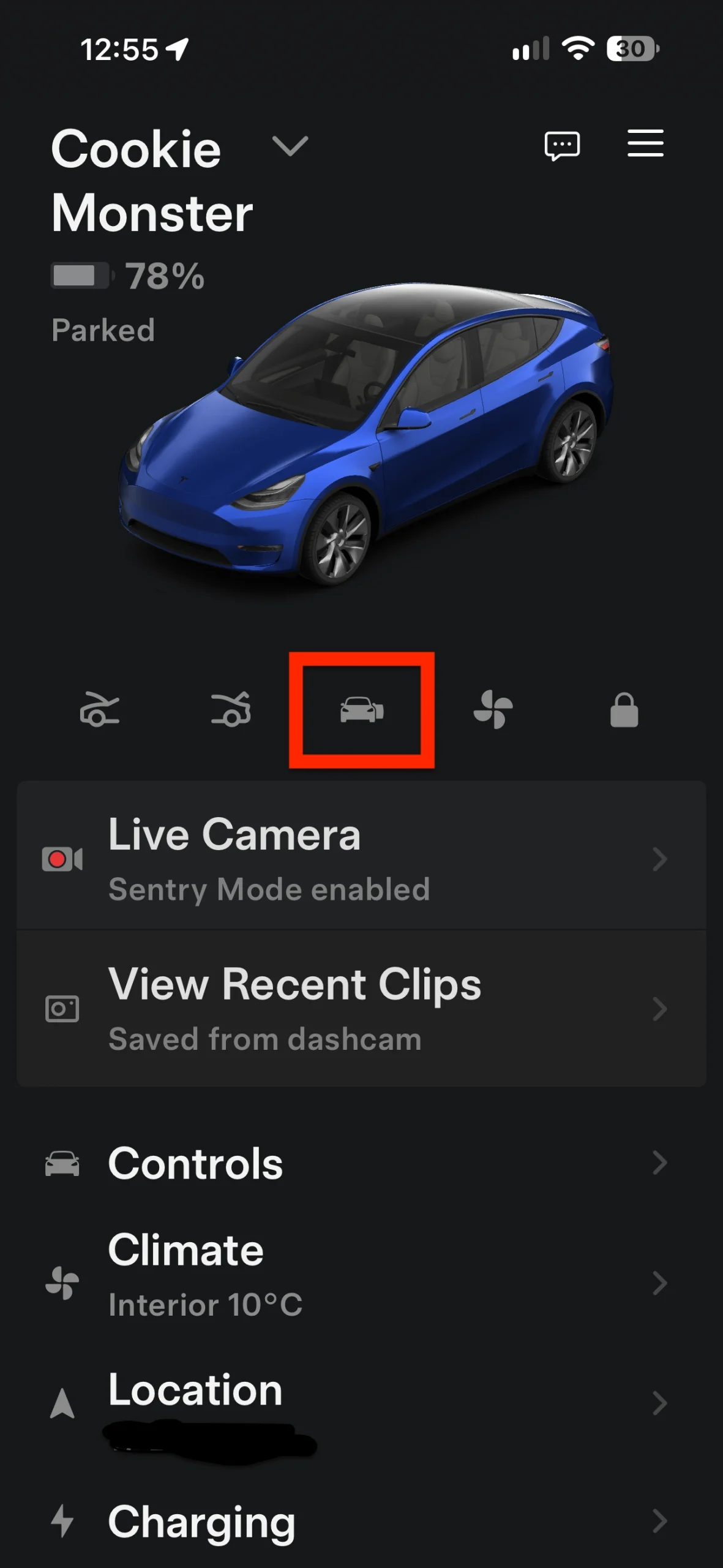
- Open the Tesla app.
- Touch and hold any of the quick control buttons on the home screen.
- Follow the prompts to customize your quick controls and add Unlatch Door.
Use it at the car
- Stand next to your car. Tesla’s instructions say to use it when you’re beside the vehicle. For remote app commands, your phone and car need a connection; a paired phone key may also communicate nearby over Bluetooth.
- Tap Unlatch Door. The driver’s door pops open.
- Gently open the door by its edge.
Why you should always carry a backup Tesla key
One cold winter day, my wife took our dog out for a walk. Her phone battery was already low, and the cold weather caused it to drain quickly.
When she returned to the car, her phone was dead, leaving her unable to get into our Tesla. She had to borrow someone’s phone to call me.
Fortunately, even though I was 45 minutes away, I was able to use the Tesla app on my phone to remotely unlock the car and enable her to drive it.
This is a good reminder of why I recommend carrying a backup Tesla key. Whether it’s a Tesla key card, a compatible CNICK key ring or wearable key jewelry, having another way to unlock and drive your Tesla can save you a lot of frustration.
Affiliate disclosure: I may earn a commission if you purchase through the CNICK link, at no extra cost to you.

Explore the CNICK Tesla key ring or read my guide to Tesla key alternatives. Check the manufacturer’s compatibility and setup instructions for your exact vehicle and model year before buying.
Know its limits: Unlatch Door only opens the driver’s door. It releases the latch, but it can’t break a door that’s frozen to the seal or a window that’s frozen to the trim. If the door pops but won’t swing open, don’t yank it. Keep defrosting, and make sure the door is fully closed before you drive.
Method 3: Safely loosen a frozen door handle
If the handle itself is iced in, Tesla describes a hand-only method. The right one depends on your handle.
Model Y, and Model 3 with black handles
This is the method in Tesla’s Model Y manual and in Tesla’s Model 3 instructions for black handles:
- Press firmly on the frontmost part of the door handle. It will rock slightly inward to help break the ice.
- Press the rearmost part of the handle to open it as you normally would.
- Once the handle moves, open and close it a few more times to clear any remaining ice. Make sure the handle is fully pressed in (retracted) before you get in, and check that the door is fully closed before driving away.
Model 3 with silver handles
Tesla’s Model 3 instructions say silver handles usually free up with a few firm bumps from the bottom of your fist. Take off rings or anything else that could scratch the paint first.
- Press firmly on the rearmost part of the handle to try to open it.
- Working in a circle around the edge of the handle, bump it with the bottom of your fist to break up the ice.
- Aim for the rear end of the wide part of the handle and bump it with the bottom of your fist. Increase the force only as needed, and repeat steps 1 to 3 until the handle opens.
- Once it moves, open and close it a few times, make sure it’s fully retracted before you get in, and check that the door is fully closed before driving away.
Tesla’s cautions: don’t use tools or excessive force on a frozen handle. On silver handles, never bump hard enough to dent the car. Tesla says the force should be similar to knocking on your neighbor’s front door.
In my TikTok video, I knocked on the frozen handle with my hand, which is my personal experience, not Tesla’s recommended procedure for the black handles on my Model Y. Tesla’s Model Y manual describes the press-the-front, then-the-rear method above, so on a Model Y I’d start there. Whichever handle you have, keep it to controlled hand pressure. No scrapers, keys or screwdrivers.
If the handle still won’t move after a few tries, stop and go back to Method 1. More force isn’t the answer.
What if your Tesla window is frozen?
Because the windows are frameless, ice on the glass can stop the door from opening cleanly. Here’s what to do in each situation:
- The handle works, but the door is stuck. The seal or window is probably frozen. Let go of the handle, keep Defrost Car running and try again later. Don’t pull harder.
- The window doesn’t drop when the door starts to open. The glass may be frozen to the trim. Forcing the door can damage the glass or trim, so let it thaw first.
- The app unlatched the door, but it won’t open. The latch is released, but ice is still holding the door. Keep defrosting, and once it opens, close it fully before you leave the car.
- The window doesn’t go back up properly after you close the door. Tesla’s Model Y manual describes a window calibration: close the door, sit in the driver’s seat with the driver’s door closed, then use the driver’s door switch to raise the window until it stops, lower it until it stops, and raise it until it stops again. If the problem continues after a couple of tries, contact Tesla.
If a door won’t open or won’t latch after it thaws, don’t drive the car. Book service in the Tesla app or contact Tesla Roadside Assistance, which you can also request through the app where it’s available.
What not to do
| Don’t | Why |
|---|---|
| Pour boiling or hot water on the handle or glass | Water runs into the gaps and can refreeze. Sudden heat on very cold glass is also a risk. This is general cold-weather caution, not a line from Tesla’s manual. |
| Pry with a scraper, key or screwdriver | Tesla says not to use tools on a frozen handle. Metal can chip the handle and scratch the paint. |
| Pull or hit the handle hard | Tesla warns against excessive force. Even the silver-handle method is about knocking-on-a-door force. |
| Force a frozen door or window | The frameless glass needs to move as the door opens. Forcing it can damage the glass or trim. |
| Spray random de-icers or lubricants on handles and seals | Tesla’s only lubricant advice is preventive WD-40 on the handle pivot pins, not a de-icer for a frozen handle. |
| Drive with a door that isn’t fully closed | Tesla says to check that the door is fully closed before driving away. |
How to prevent frozen Tesla doors
You can’t stop every ice storm, but these habits help:
- Schedule preconditioning. Set your departure time with Schedule so the car warms up before you leave.
- Park under cover when you can. A garage or carport keeps freezing rain off the handles and glass.
- Clear snow before it refreezes. Brushing snow away from the handles and windows after a storm gives meltwater less to work with.
- Set up Unlatch Door before the first cold snap. Then it’s one tap away when you need it.
- Consider WD-40 on the pivot pins. Tesla’s manual says preemptively applying WD-40 to the door handle pivot pins can help prevent ice buildup inside the handle. Do it before freezing weather as maintenance, not on a frozen handle, and only on the pivot pins, not the window seals.
For more cold-weather prep, see my guide to preparing your Tesla for winter.
Optional winter essentials
Affiliate disclosure: Some links may earn us a commission at no extra cost to you. As an Amazon Associate I earn from qualifying purchases.
Snow Joe SnowBroom
A foam-head snow broom with an extendable handle and a built-in ice scraper, useful for clearing snow off the roof, glass and handles before it refreezes. Keep the foam head free of grit, and use the scraper on glass only.
3D MAXpider all-weather floor liners

Winter means snow, slush and salt coming into the car with you. I use 3D MAXpider liners in my Model Y. Read my one-year review before you buy, and check the listing for your exact model and year.
Dedicated winter tires
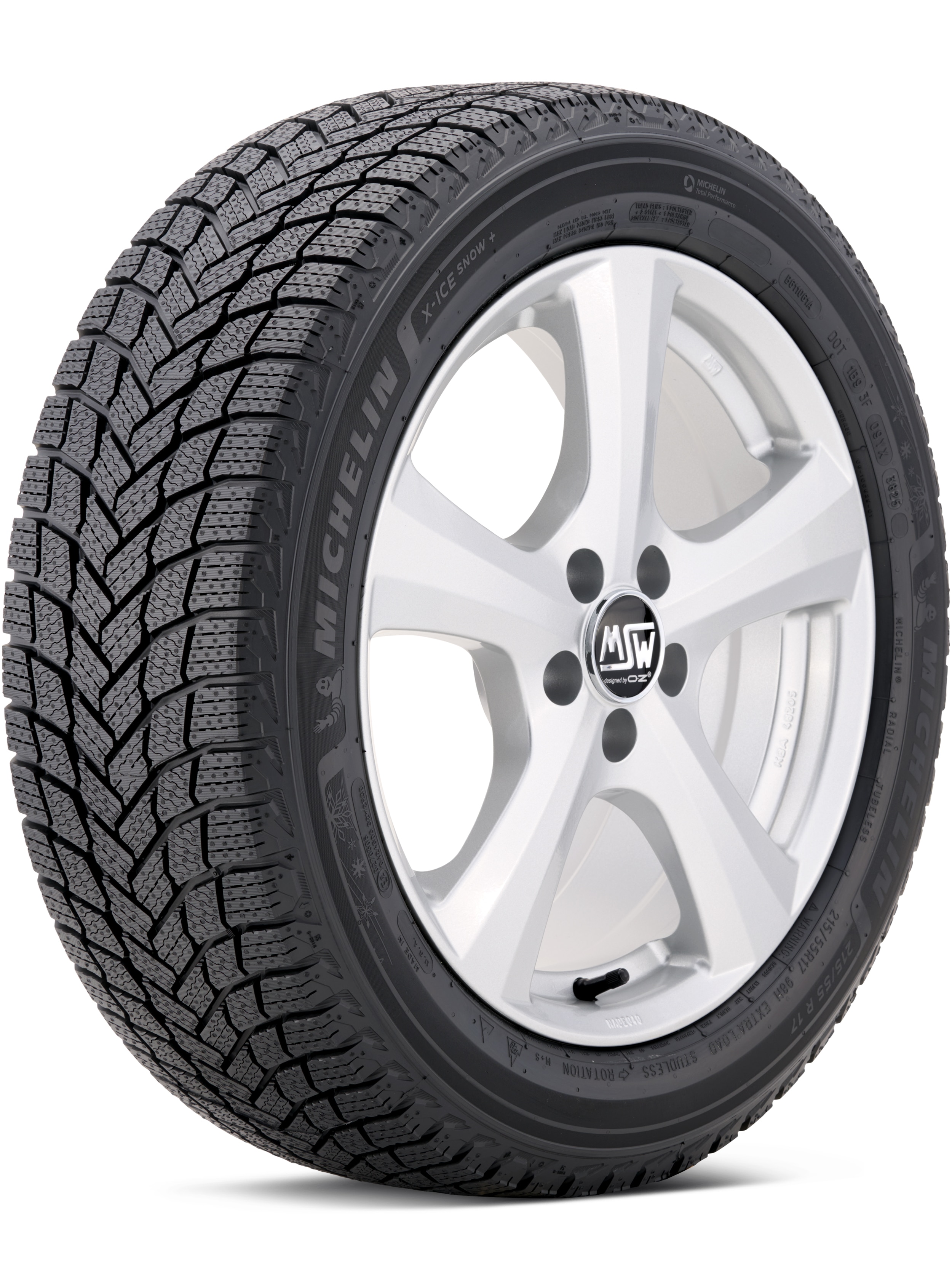
Winter tires won’t thaw a frozen door, but they make a real difference once you’re on the road. Michelin X-Ice winter tires gave me a stable, confident feeling on Canadian winter roads, though they were a bit louder than my summer tires. If you drive a Model 3, see my guide to the best tires for the Tesla Model 3. Fitment is specific to the Model 3.
For more ideas, explore my Tesla accessories guide and Tesla gift guide.
FAQs
Can I open a frozen Tesla door with my phone?
Yes, on the Model 3 and Model Y. Add Unlatch Door to the Tesla app’s quick controls, stand next to the car and tap it to pop the driver’s door open. It releases the latch but can’t free a door or window that’s frozen in place.
Will preheating unfreeze the door handles?
It can help. Defrost Car is designed to melt snow, ice and frost, and Tesla recommends starting climate at least 30–45 minutes before you leave in cold weather. Thick ice can take longer, so there’s no guaranteed time.
Can I use WD-40 on Tesla door handles?
Tesla’s manual says preemptively applying WD-40 to the door handle pivot pins can help prevent ice buildup. It’s preventive maintenance done before freezing weather, not a way to free a handle that’s already frozen.
Can I pour hot water on a frozen Tesla handle?
I wouldn’t. The water can run into the gaps and refreeze, and sudden heat on very cold glass is a risk. Defrost Car is the safer way to warm things up.
Do all Tesla models use the same handle procedure?
No. Tesla describes a press-the-front, then-the-rear method for the Model Y and for Model 3s with black handles, and a fist-bump method for Model 3s with silver handles. The Model S, Model X and Cybertruck are different, so check your manual.
How we know what works
I purchased my 2021 Tesla Model Y brand new in 2021 and have been driving it through Canadian winters ever since. During that time, I’ve personally dealt with frozen door handles and used all three methods described in this guide.
This article combines my firsthand Tesla ownership experience with information from Tesla’s official owner’s manuals and service instructions. As Tesla continues to update its vehicles and mobile app, some features and controls may change over time.
Sources
- Tesla Model Y Owner’s Manual (2020–2024), Cold Weather Best Practices
- Tesla Model Y Owner’s Manual (current, US), Cold Weather Best Practices
- Tesla Model Y Service DIY: Removing Ice From Door Handle
- Tesla Model 3 Service DIY: Removing Ice From Door Handle (black and silver handles)
- Tesla Model Y Owner’s Manual (2020–2024), Windows
- Tesla Model Y Owner’s Manual (2020–2024), Mobile App
- Tesla Model Y Owner’s Manual (2020–2024), Contacting Tesla Roadside Assistance
- My original videos: YouTube: Defrost Your Tesla Remotely Using the Tesla App and TikTok: How to unlock a frozen Tesla door